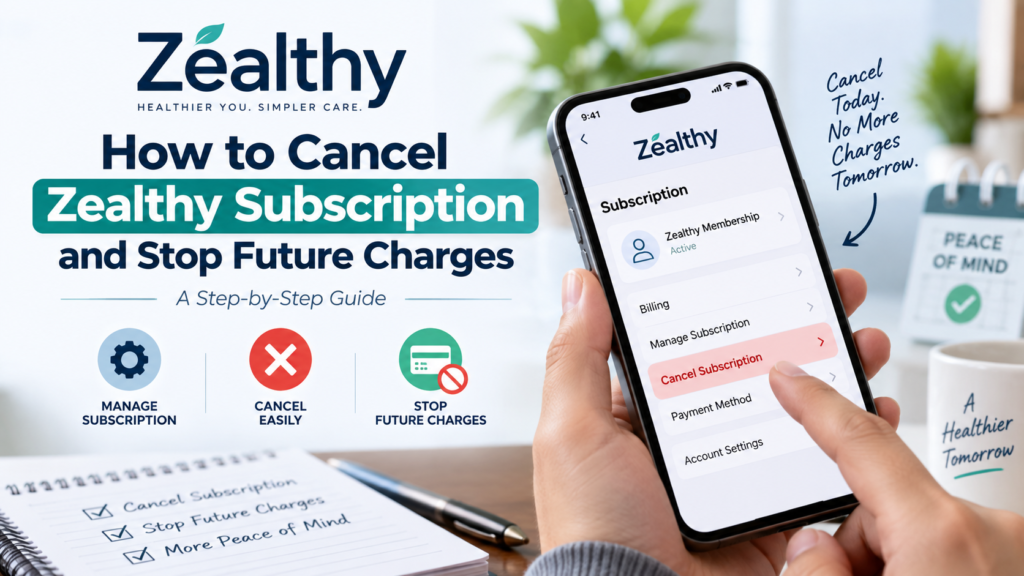
If you no longer want to use your Zealthy membership, canceling your subscription can help prevent future recurring charges. Since Zealthy memberships are billed on a recurring basis, it is important to complete the cancellation process through your patient portal rather than simply stopping your use of the service.
There can be different reasons for canceling a membership. You may have reached your weight-loss goals, decided to take a different approach to your healthcare, or simply no longer need the service. Whatever your reason, understanding how cancellation works can help you manage your account and avoid confusion about future billing.
Zealthy provides online healthcare services, including weight-loss care, medical consultations, coaching, and access to prescription treatment when clinically appropriate. If you are currently receiving medical treatment through the service, it is worth speaking with your healthcare provider before making changes to your treatment plan.
How to Cancel Zealthy
Canceling your Zealthy membership can be done directly through your patient portal. The process is designed to let members manage their subscriptions without needing to make a separate cancellation request.
To cancel your membership:
- Sign in to your Zealthy patient portal.
- Open your profile or account menu.
- Select Manage Membership.
- Choose Manage Your Plan or Manage Plan.
- Follow the prompts until the cancellation is complete.
Zealthy’s current FAQ confirms that members can cancel their membership through the portal by going to their profile, selecting Manage Membership, and then choosing Manage Plan.
Make sure you complete all the steps shown on the screen. Simply closing the page or leaving your account inactive does not mean the membership has been canceled.
After completing the process, check for a confirmation message or email. Keeping confirmation of your cancellation can be helpful if you later have questions about your membership status or billing.
How to Stop Future Zealthy Charges
One of the main reasons people look for cancellation instructions is to stop recurring membership charges. Zealthy states that its memberships are billed monthly on the same date as the initial membership charge. The company also says members can cancel their memberships at any time.
If you know that you no longer want the service, it is a good idea to cancel before your next billing date. Once you have completed the cancellation process, review your account to make sure the cancellation has been recorded.
It is also helpful to keep your cancellation confirmation. If you later notice a charge and need to ask customer support about it, having the date and confirmation of your cancellation can make the conversation easier.
Remember that deleting the Zealthy app from your phone is not the same as canceling your membership. Your account and subscription can remain active even if you no longer have the app installed.
Does Deleting the Zealthy App Cancel the Subscription?
No. Removing the Zealthy app from your smartphone does not automatically mean that your membership has been canceled.
An app is simply a way to access a service. Your membership is connected to your account, so you need to follow the cancellation process in your patient portal.
If you have deleted the app already, you can still access your account through the appropriate Zealthy portal and complete the cancellation steps.
This is an important distinction because someone may stop using an app and assume that recurring billing has also stopped. Checking your membership status is a better way to confirm that the cancellation has actually been completed.
What Happens After You Cancel Zealthy?
After you cancel your membership, your access to certain services may change depending on your plan and treatment.
Zealthy’s FAQ explains that once a membership is canceled, prior authorizations for GLP-1 medications are discontinued, refills are no longer available, and providers can no longer continue monitoring treatment through the membership.
This is particularly important if you are currently using prescription medication through Zealthy.
If you are taking a weight-loss medication or another prescription, do not make changes to your medication simply because you canceled your membership. Speak with your healthcare provider about how to safely continue, change, or discontinue treatment.
Cancellation affects your membership. It should not be treated as medical advice about stopping a prescription.
Can You Get a Refund After Canceling Zealthy?
Canceling a membership and requesting a refund are two separate things. Canceling your subscription generally addresses future membership billing, while a refund concerns a payment that has already been processed. A cancellation does not automatically mean that a previous payment will be refunded.
If you believe a payment is eligible for a refund, you should contact Zealthy’s support team and explain the situation.
Zealthy states that when a refund is eligible and has been confirmed as issued, the funds typically appear within 7–10 business days, depending on the bank or card issuer. Refunds are returned to the original payment method used during checkout.
If your original payment method has been closed or canceled, Zealthy says it cannot send the refund to a different account.
For refund questions, members can message their care team through the Zealthy portal or contact support.
What If You Were Charged After Canceling?
If you notice a charge after canceling your Zealthy membership, do not immediately assume that the charge was made incorrectly.
First, check when you submitted the cancellation request and compare that date with the billing date. Review any cancellation confirmation you received and check your account status. If the charge still appears unexpected, contact Zealthy support and provide the relevant information. Explain when you canceled and include your confirmation if you have one.
Keeping records of your cancellation can be useful in situations like this. A screenshot, confirmation email, or account notification may help demonstrate when the cancellation was completed. You should also review your payment statement after cancellation to make sure you understand any transactions that appear on your account.
Can You Pause a Zealthy Membership Instead?
If you only want a temporary break, you may wonder whether pausing your membership is an alternative to cancellation.
According to Zealthy’s current FAQ, memberships cannot currently be paused. However, members may be able to delay medication shipments through their portal by selecting Manage subscription on the home page.
This can be useful if you need a short break but do not necessarily want to end your membership completely. If you are considering a break because of medication concerns, it is important to discuss your situation with your provider. Your healthcare team can help you understand the safest approach based on your treatment plan.
If you decide that you no longer want to continue with the service, you can use the cancellation process described above.
What If You Are Taking a GLP-1 Medication?
If your Zealthy membership includes medical treatment with a GLP-1 medication, consider talking with your provider before canceling.
GLP-1 medications require appropriate medical oversight, and your treatment plan may involve regular provider follow-ups, prescription management, and monitoring. Zealthy’s weight-loss program may include medications such as Zepbound, Wegovy, Ozempic, Mounjaro, semaglutide, or tirzepatide when a licensed provider determines that treatment is clinically appropriate.
If you cancel your membership, Zealthy states that ongoing provider monitoring and prescription refills through the membership will no longer continue. Therefore, if you are planning to move your healthcare to another provider, it is helpful to arrange your next source of care before ending your current membership.
Why Might Someone Cancel a Zealthy Membership?
There is no single reason why someone may decide to cancel a healthcare membership. Some members may cancel because they have reached a point where they no longer want to use the service. Others may have financial reasons, changes in healthcare needs, or a preference for another treatment approach.
Someone may also decide to cancel after completing a specific treatment period or because they want to work with a local healthcare provider. Whatever the reason, understanding the cancellation process can help you avoid unnecessary confusion.
If your reason for canceling is related to cost or treatment concerns, you may also want to speak with the Zealthy care team before making a final decision. You may have questions about your current plan, medication, or available options that the team can address.
How Zealthy Supports Online Weight-Loss Care
While some members may decide to cancel, others may continue using Zealthy for online weight-loss care.
The service allows eligible patients to complete an online intake and have their information reviewed by a licensed healthcare provider. Treatment may include prescription medication when clinically appropriate, along with coaching and ongoing support. Zealthy also offers secure messaging with providers and care coordinators, allowing members to communicate about their treatment and questions through the online portal.
If you are considering canceling because your treatment is not meeting your expectations, discussing your concerns with your care team may help you understand your available options. However, if you have decided that cancellation is right for you, following the official portal process is the simplest way to manage your membership.
Tips for Avoiding Unwanted Subscription Charges
Managing a recurring membership is easier when you keep track of a few important details.
First, know your regular billing date. Zealthy says memberships are billed monthly on the same date as the initial membership charge.
Second, if you know you want to cancel, complete the process before your next billing date rather than waiting until the last moment.
Third, keep your cancellation confirmation. This gives you a record of when you completed the process.
Finally, check your account and payment statement after cancellation. If you notice something you do not understand, contact support and ask for clarification.
These steps can make subscription management more straightforward and help you keep better records of your healthcare expenses.
Frequently Asked Questions
How do I cancel my Zealthy subscription?
Sign in to your Zealthy patient portal, open your profile or account menu, select Manage Membership, choose Manage Your Plan or Manage Plan, and follow the prompts until the cancellation is complete.
Does deleting the Zealthy app cancel my membership?
No. Deleting the app does not automatically cancel your membership. You need to complete the cancellation process through your Zealthy patient portal.
Will canceling Zealthy stop future charges?
Once your membership cancellation is completed, future recurring membership billing should stop according to the applicable cancellation terms. Zealthy states that memberships are recurring and can be canceled at any time.
Can I get a refund after canceling?
Cancellation does not automatically guarantee a refund for a previous payment. If you believe you qualify for a refund, contact Zealthy’s support team to have your situation reviewed.
How long does a Zealthy refund take?
Zealthy states that eligible refunds typically appear within 7–10 business days after the refund has been issued, although timing depends on your bank or card issuer.
Can I pause my Zealthy membership?
Zealthy’s current FAQ states that memberships cannot currently be paused. However, members can delay medication shipments through the portal in certain circumstances.
What happens to my medication after I cancel?
Once a membership is canceled, Zealthy states that refills are no longer available and providers cannot continue monitoring treatment through the membership. If you are taking prescription medication, speak with a healthcare provider before making treatment changes.
Final Thoughts
Learning how to cancel a Zealthy subscription and stop future charges can help you manage your membership with confidence. The process can be completed directly through the Zealthy patient portal.
To cancel, sign in to your patient portal, open your profile or account menu, select Manage Membership, choose Manage Your Plan or Manage Plan, and follow the prompts until the cancellation is complete.
Afterward, save your confirmation and review your account to make sure the cancellation has been processed. If you have questions about a previous payment or believe you qualify for a refund, contact Zealthy’s support team separately.
If you are currently using prescription treatment, remember that canceling a membership and stopping medication are two different decisions. Speak with your healthcare provider before making changes to your treatment.
With the correct cancellation steps and a record of your request, you can manage your Zealthy membership while reducing the risk of confusion about future billing.